Your website is giving “first draft.” Let's fix that.
Signs you've outgrown your website, and what to fix first. Your business has grown, but your site still describes where you started.

Jessie Borgmann
Founder, Dotted Octopus

"My website feels outdated." That's how a lot of my conversations with business owners start. Sometimes it's "It doesn't really represent my business anymore."
Both usually point to the same thing. When you launched, your website introduced a brand-new business. Since then, you've refined your services, learned who you serve best, and done stronger work. If your website still reflects where you started, you've outgrown it.
The good news is that fixing it starts with your message, not your color palette. Below are the signs you've outgrown your website, the one most owners overlook, and what to fix first.
The biggest sign: your website describes a business you used to run
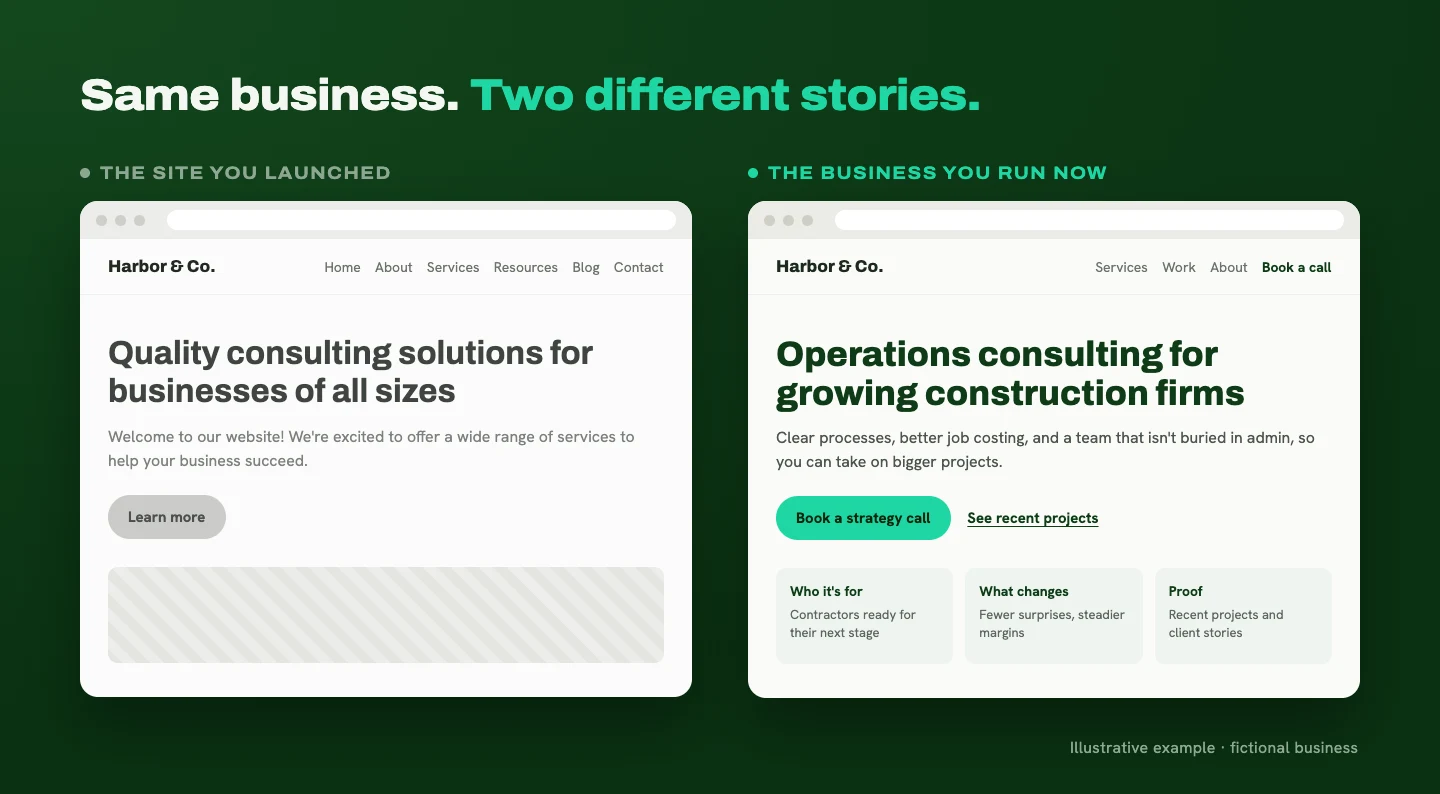
The clearest sign you've outgrown your website is a gap between the business you run today and the business your website describes.
Here's how I often put it to clients: your business has moved into its next chapter, but your website is still telling the opening scene.
That gap matters because visitors only know the version of you that's on the page. If your site describes an earlier, more general version of your business, that's the one they're deciding whether to hire.
Signs you've outgrown your website
The gap tends to show up in a handful of predictable places.
Your services have changed. Your homepage still leads with what you offered in year one, and your newer, more valuable services live on a page few people find.
Your audience has gotten more specific. You now know exactly who your best clients are, but the site still speaks to "businesses of all sizes." The people you most want to work with have to guess whether you're a fit.
Your best work isn't on the site. The project examples and testimonials are from a few years ago, and your recent work is stronger than anything you're showing.
Your homepage is still introducing you. The copy reads like a launch announcement for a business you've now spent years building.
You keep working around your website. You send PDFs to explain your services. You answer the same basic questions on every intro call. Or you add a little disclaimer before sharing your URL. Your website should help you communicate your value. If you have to explain everything again after someone visits, it has room to get clearer.
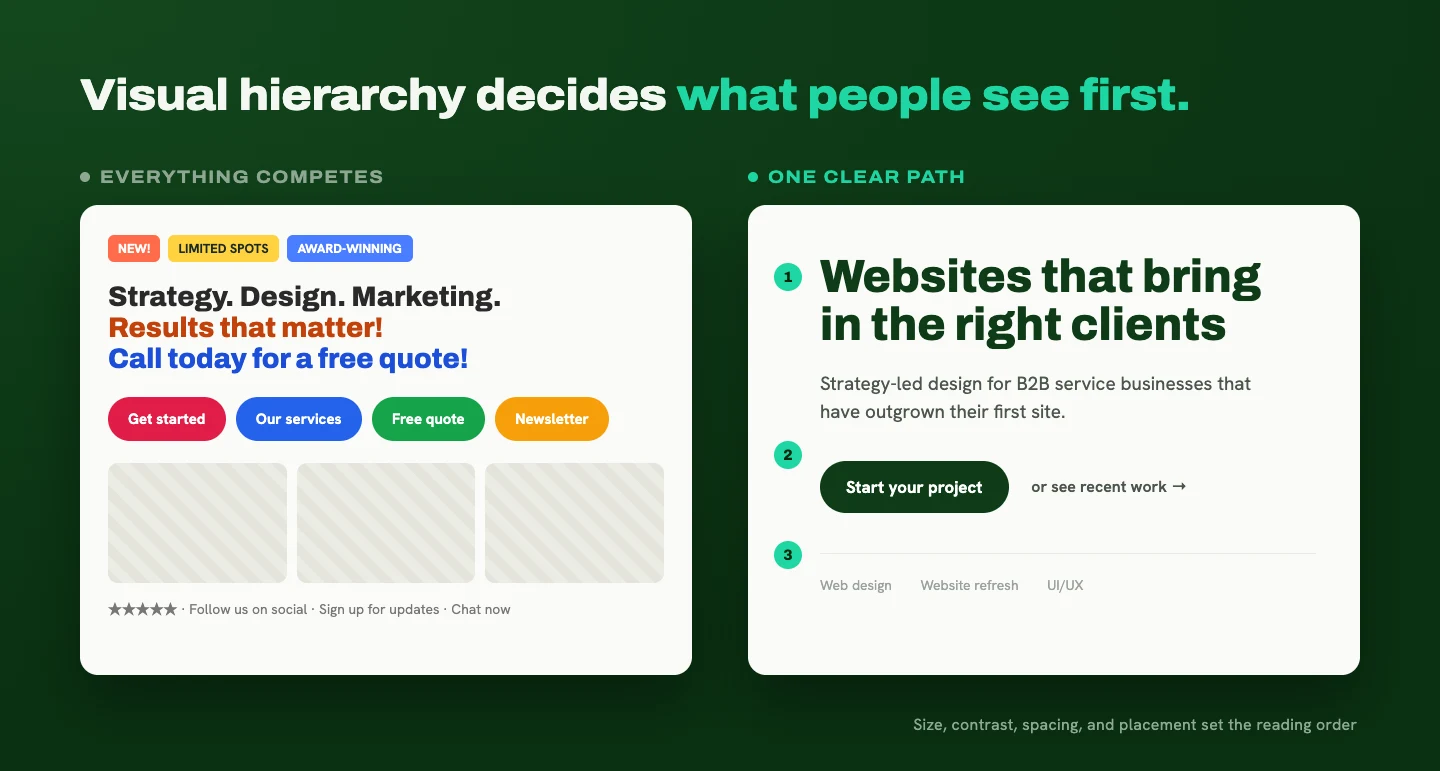
The important message is buried. When headlines, images, and buttons all compete for attention, visitors have to work to figure out what matters. Visual hierarchy is the fix here: using size, contrast, spacing, and placement to show people what to look at first. It matters as much as the words themselves.
The sign most owners overlook: an unclear offer
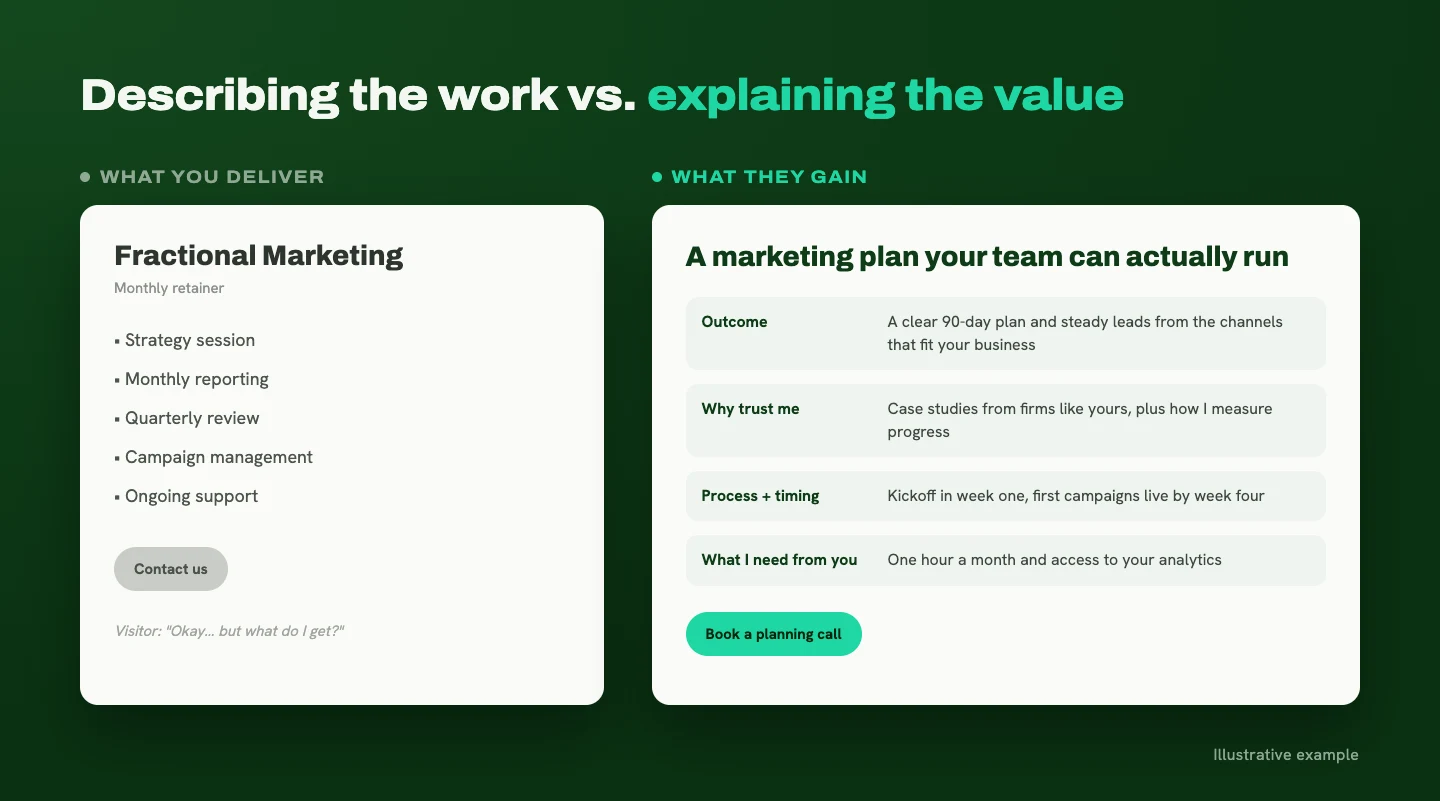
Visitors can understand what you do without understanding what they gain from working with you. That's an unclear offer, and it's the sign I see business owners miss most often.
A list of deliverables only tells part of the story. "Strategy session, monthly reporting, quarterly review" describes your work. It doesn't explain how that work helps the client move forward.
Alex Hormozi's value equation, from his book $100M Offers, is a useful lens. It looks at the outcome people want, how confident they are they'll get it, how long it takes, and how much effort it asks of them (summary).
On a service website, that turns into four questions your pages should answer:
- What will this help me accomplish?
- Why should I trust you to get me there?
- What does the process involve, and how long does it take?
- What will you need from me?
If your services page explains what you deliver but skips those questions, visitors have to fill in the gaps on their own.
What to fix first: your message and your offer
Start with the message and the offer. Everything else gets organized around them.
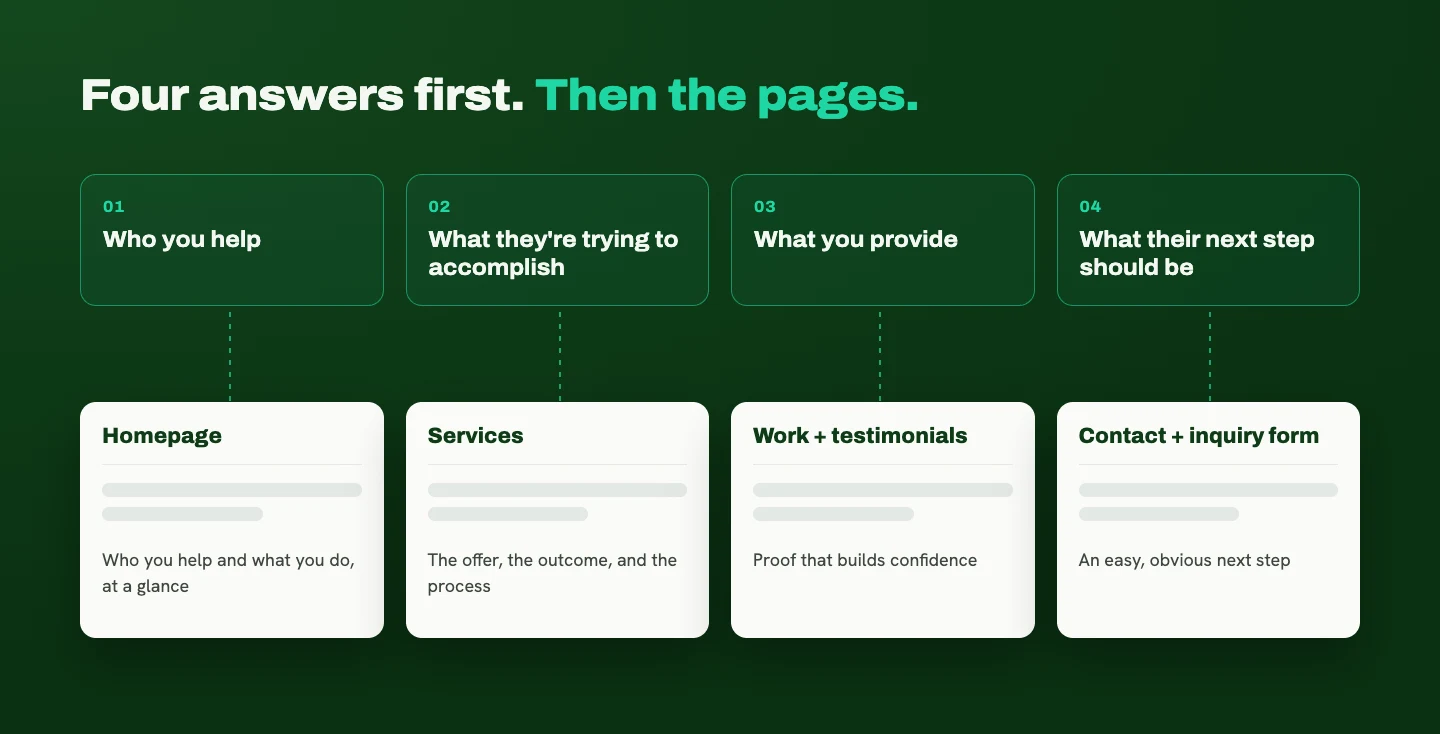
Get clear on four things:
- Who you help
- What they're trying to accomplish
- What you provide
- What their next step should be
Then organize your pages around those answers. Your homepage should tell people who you help and what you do at a glance. Your services page should explain the offer, including the outcome and the process. Project examples and testimonials build confidence. Your contact page and inquiry form should make the next step easy.
Once the message is clear, use design to guide attention. Size, contrast, spacing, and placement should make the most important message the first thing people notice.
One more step before you change anything big: look at what's already working. Review your traffic, inquiries, and search performance (Google Search Console is free and shows which pages people find through Google). If a page already brings in visitors, plan to keep it. If its URL has to change, Google recommends a permanent redirect so search engines know where it moved (Google Search Central). Planning your SEO and page structure before design protects what you've already built.
If you're heading toward a bigger update, my post Before you redesign: 7 questions to answer first walks through the planning in more detail.
Refresh or redesign? Ask whether the foundation still works
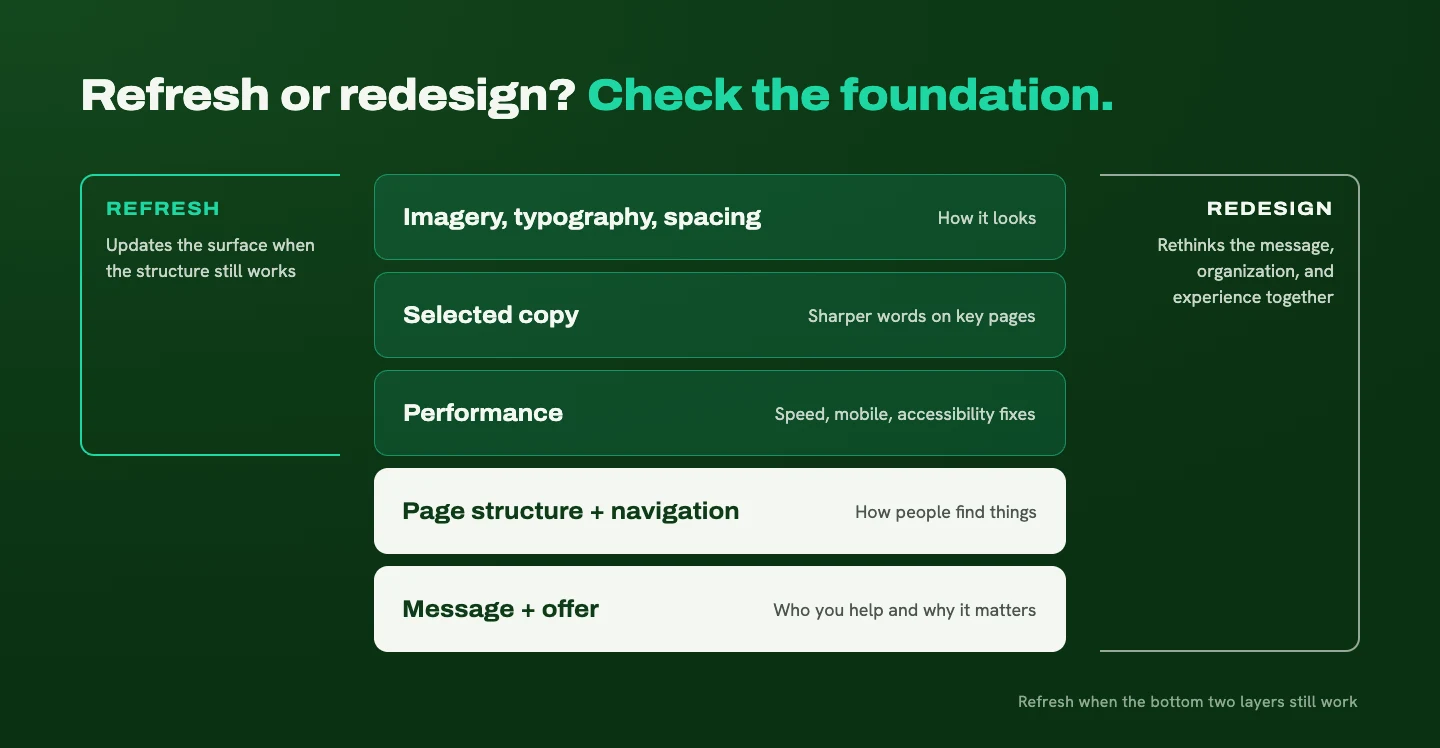
Once you know you've outgrown your website, the next question is how much needs to change. My rule of thumb: check whether the foundation still works.
A website refresh is likely enough if:
- Your message and structure are still right
- Visitors can find what they need
- The site mainly looks dated or feels slightly off
In that case, updating imagery, typography, spacing, selected copy, and performance can close the gap without starting over.
A redesign makes more sense if:
- The site no longer reflects your business
- Its structure creates confusion
- Visitors struggle to take the next step
That calls for rethinking the messaging, organization, and experience together.
If you're leaning toward a refresh, The glow-up before the rebuild covers the five small changes worth making first.
A slow trickle of inquiries deserves a closer look, but it doesn't automatically mean you need a rebuild. The cause might be the offer, the traffic, or a frustrating inquiry form. (I dig into that in Why your B2B website isn't bringing in the right inquiries.) Understand the problem before you choose the visual solution.
The mistake to avoid: starting with colors
When business owners finally decide to update, the temptation is to start with colors, fonts, and a folder of inspiration. I get it. That's the fun part.

A competitor's website can give you ideas, but it can't define your audience, your value, or your story. So I start somewhere else: what do visitors need to understand, and what would help them feel confident reaching out? Then the design supports that.
Clear doesn't have to mean predictable. Your website can feel expressive and memorable while still making the essentials easy to find. Personality works best when it sits on top of a clear message.
The other version of this mistake is rushing the copy or leaving SEO until launch week. Both create avoidable problems. The message, the page structure, and the design need to develop together.
What this looks like in practice
Loan Note Exchange helps people sell privately held mortgage notes, a process most of their visitors have never been through. Some arrive ready to request an offer. Others are still figuring out what a mortgage note is, how selling works, and whether it makes sense for them.
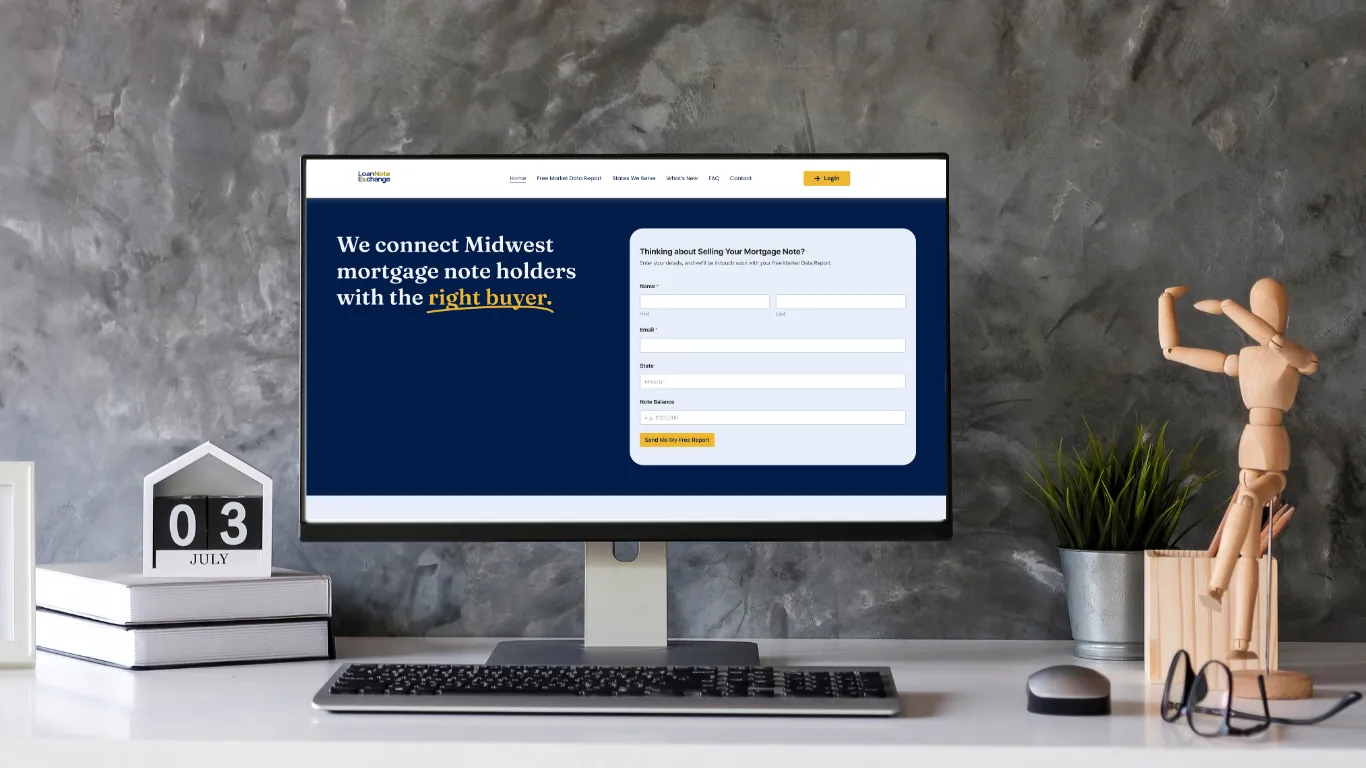
The website had to support both. I organized it around the questions people needed answered before they felt comfortable taking the next step: what selling a note means, how the process works, how value is determined, what happens after an inquiry, and whether the company is trustworthy.
Education and clear opportunities to inquire sit side by side. Visitors who are ready can act, and visitors who aren't can keep learning without feeling pushed. That's the whole idea in one project: a customer-focused story, a clear offer, and a page structure that supports the visitor's decision.
Catch your website up to your business
If your website describes the business you started instead of the one you run now, begin with the message and the offer. Then let the foundation decide the scope: a refresh if the structure still works, a redesign if it doesn't.
Whatever you choose, connect your story to your visitor's story. Donald Miller's StoryBrand approach puts the customer at the center, and that's the part I come back to most: help people see what they're struggling with, what they want, how you can guide them, and what happens next. (More on that in Your customer is the hero.)
If your website is still telling the opening scene, I can help you write the chapter you're in now. Tell me where your business is headed, and I'll help you figure out whether a refresh or a redesign gets you there.
Ready for a website that makes this easier?
Tell me about your business and your goals. I'll help you figure out what your website needs to say, and how to make it clear.
Start Your ProjectLiked this one? Get the next article in your inbox.
Your website should work as hard as you do. Each new article shows you where yours is quietly losing leads, trust, or attention, and exactly what to fix. It lands in your inbox the day it's published, and you can unsubscribe whenever you like.
You're on the list. Thanks for subscribing!
Something went wrong. Please try again in a moment.

A strategy-led design studio creating clear, thoughtful websites for B2B and professional-service businesses.
Start Your ProjectDotted Octopus
© 2026 Dotted Octopus. All Rights Reserved.
Back to top ↑