The glow-up before the rebuild
Website refresh vs redesign, and the small changes worth making first. Start with five focused fixes, then use the signs to decide if you need more.

Jessie Borgmann
Founder, Dotted Octopus
When your website stops feeling like it fits, it's tempting to jump straight to "we need a whole new site." Sometimes that's true. Often, a few focused changes will get you further, faster.
The difference between a website refresh and a redesign comes down to how much of the foundation needs to change. Here's how to tell which one you need, and the small improvements worth trying before you commit to a rebuild.
Refresh vs redesign: what's the difference?
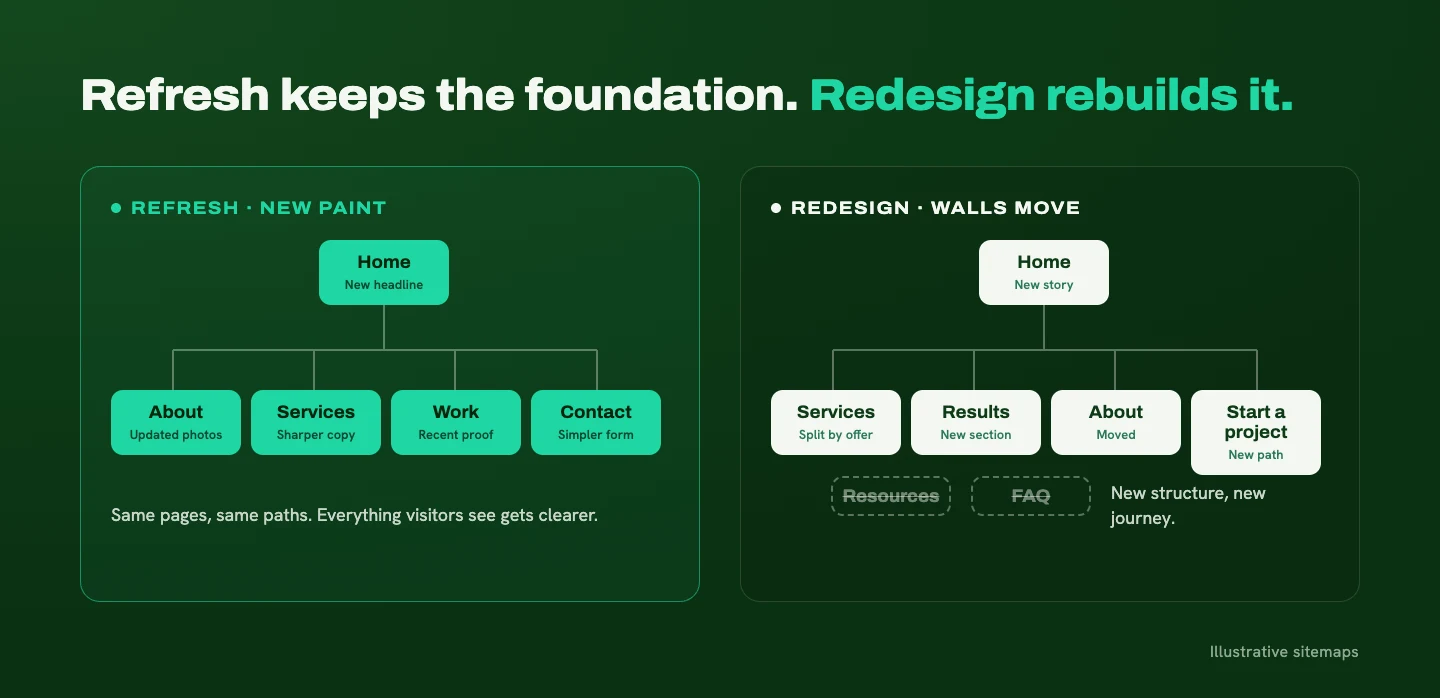
A refresh keeps the core message, page structure, and visitor journey intact. You're improving an experience that still makes sense for your business: sharper copy, updated visuals, a clearer next step.
A redesign rethinks those foundations. What the website communicates, how the information is organized, and how visitors move toward taking action all get a fresh look.
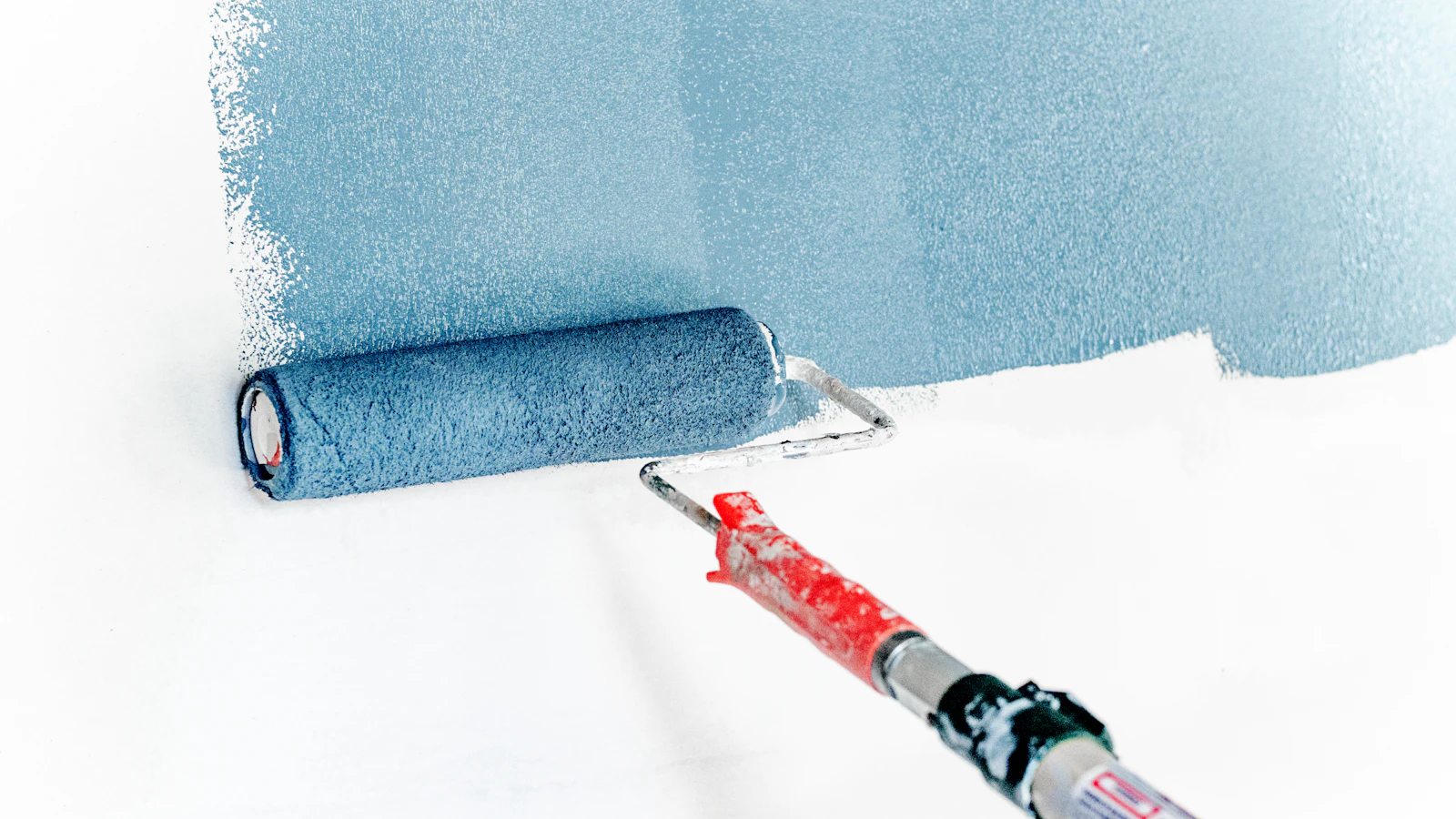
A new coat of paint and a renovation can both make a house feel new. Only one of them moves walls.
Five small changes worth making first
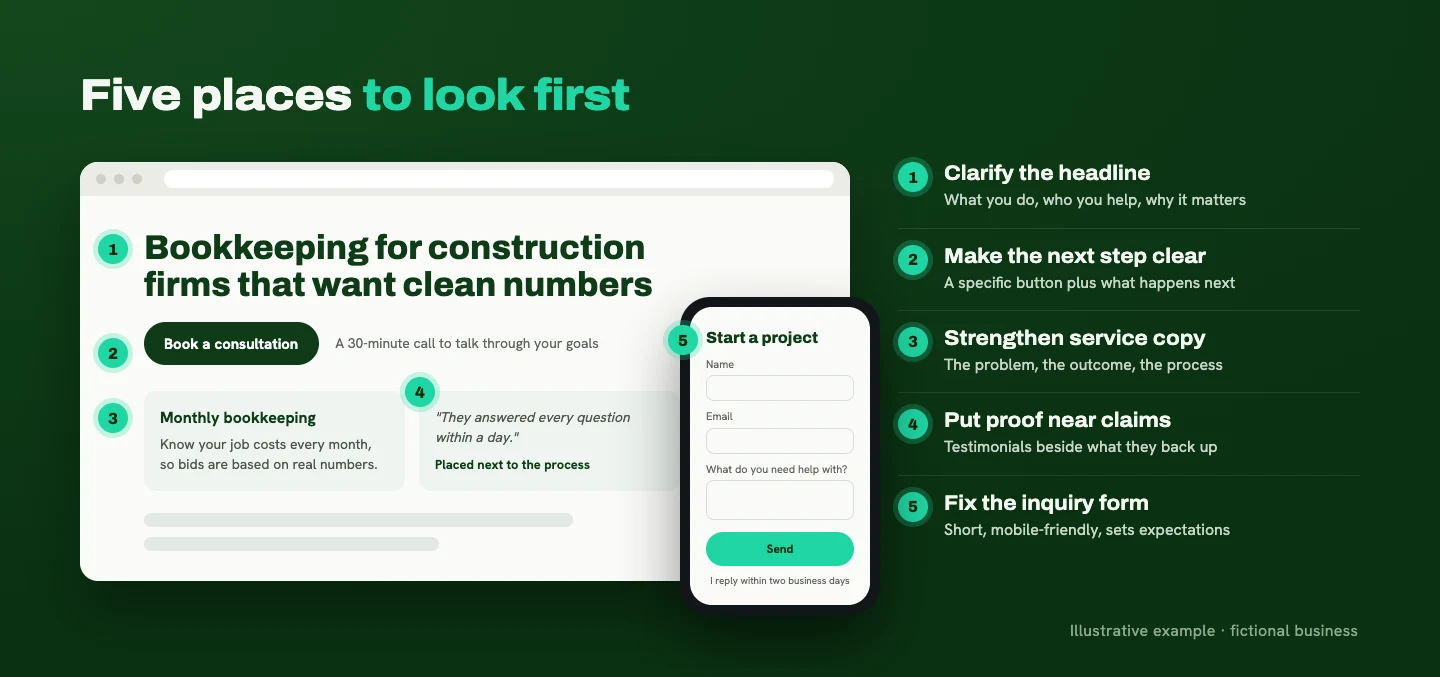
Before picking fixes, find out where visitors are getting stuck. Not every website needs the same changes. That said, these five places are where I look first, because they shape whether someone understands you and takes the next step.
1. Clarify the homepage headline. Make it easy to understand what you do, who you help, and why it matters. Personality belongs here, but the meaning needs to land. A clever line that leaves people guessing costs you more than it earns.
2. Make the next step clear. Use a specific call to action and explain what happens after someone clicks. "Book a consultation" sets a clearer expectation than "Let's connect." A short line underneath, like "A 30-minute call to talk through your goals," removes even more guesswork.
3. Strengthen your service copy. Explain the problem you solve, the outcome you help clients work toward, and what working together involves. A list of deliverables tells people what they'll get. It doesn't tell them why it matters.
4. Add relevant proof. Place genuine testimonials and project examples near the claims they support. A testimonial about your responsiveness belongs near your process, not tucked away on a separate page nobody visits.
5. Review your inquiry form. Fill it out on your phone. Remove questions you don't need at the first conversation, make sure submissions actually reach the right inbox, and tell people when they can expect a response.
A refresh is also a good moment to update the look. If you're tempted by a new style, here's how I decide which web design trends are worth borrowing.
Then test it with a real person
Once you've made changes, check whether they made the experience clearer. Ask someone in your target audience to find a specific service and explain how they'd get in touch. Watch where they hesitate. After years of looking at your own site, you stop noticing what's confusing. A fresh set of eyes notices right away.

When a "small fix" turns into a bigger project
Some requests sound quick and turn out to have a lot underneath them.
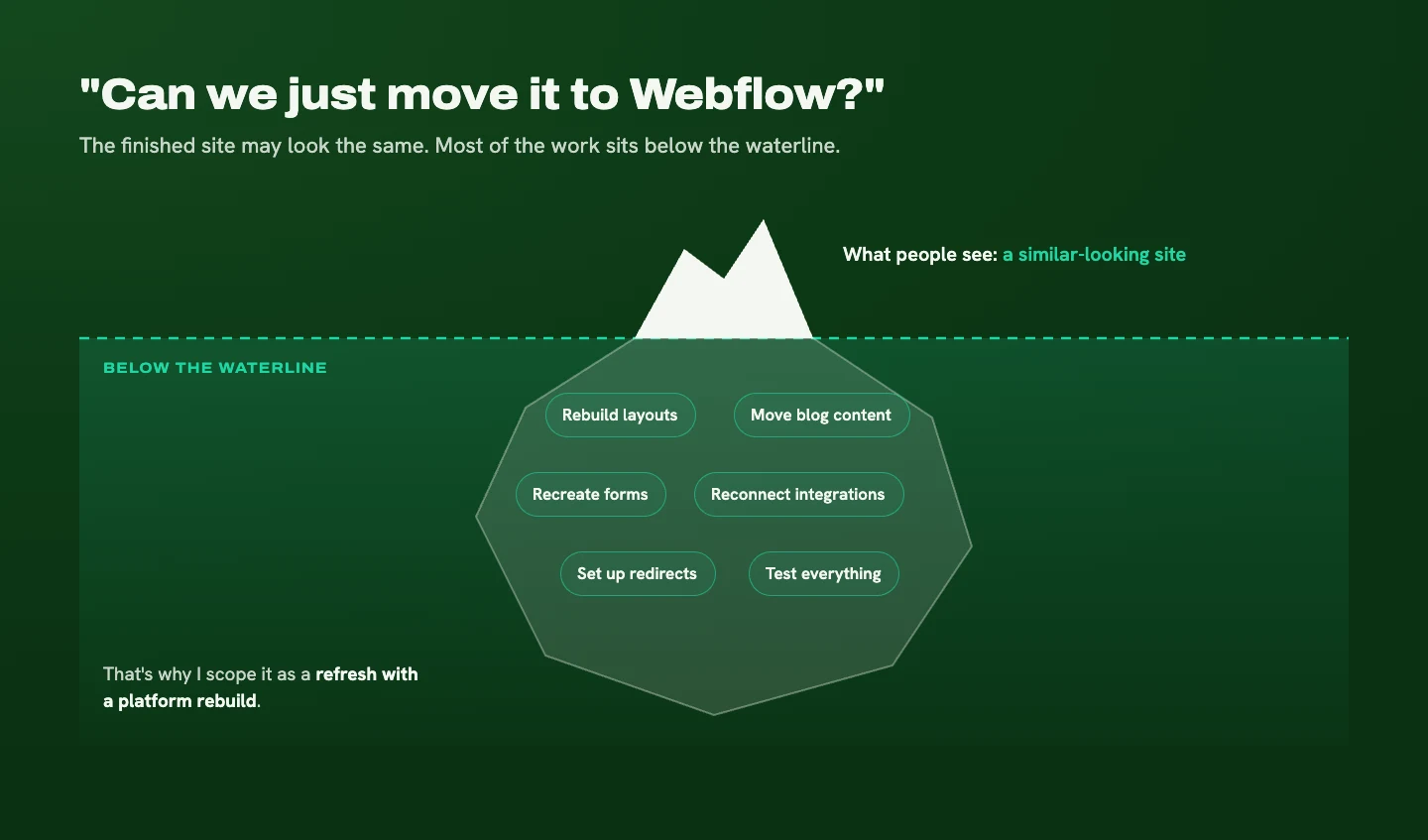
"Can we just move it to Webflow?" The finished site might look almost the same, but changing platforms is a migration. It can involve rebuilding layouts, moving blog content, recreating forms, reconnecting integrations, setting up redirects, and testing everything. When a client asks for a refresh plus a platform move, I call it a refresh with a platform rebuild, so the scope is clear from the start.
"Can we just rewrite the homepage?" If the business hasn't clearly defined its audience or offer, the copy needs some strategic decisions before it can do its job. The writing goes faster once you know who it's for and what you want them to do.
The request might be small. The work depends on what's underneath it.
Signs you need a redesign instead of a refresh
The clearest sign is when every improvement runs into the same underlying problem.
You update the headline, but the services are still confusing. You add a button, but there's no clear path leading to it. You replace the photos, but the website still describes a business you no longer run.
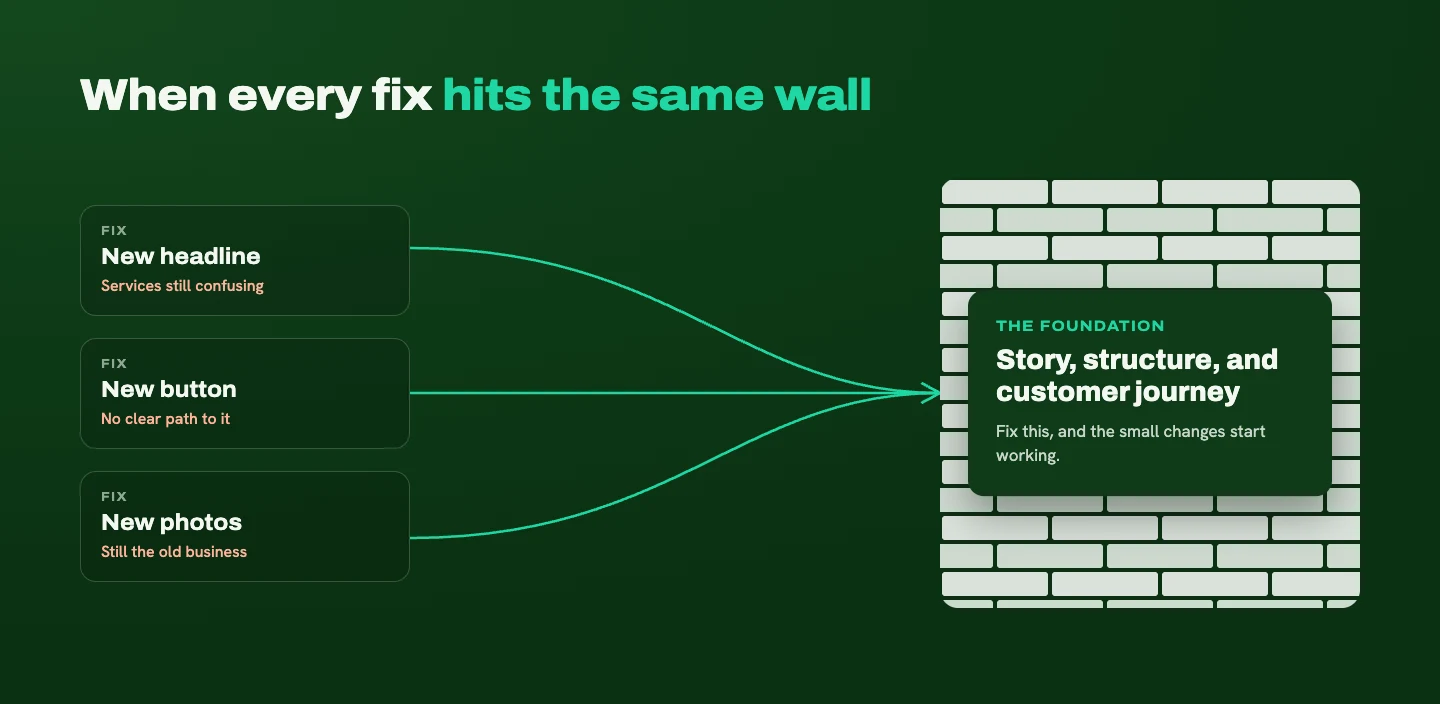
A few other signs point the same direction:
- Your navigation no longer fits the content you have.
- Pages have been patched together over the years, and it shows.
- Layouts make routine updates difficult, so content goes stale.
If your site needs a different story, structure, and customer journey, a refresh tends to become a series of workarounds. That's when I recommend stepping back and redesigning the foundation. If you're still not sure which side you're on, Signs you've outgrown your website walks through the bigger picture.
How timelines and costs compare
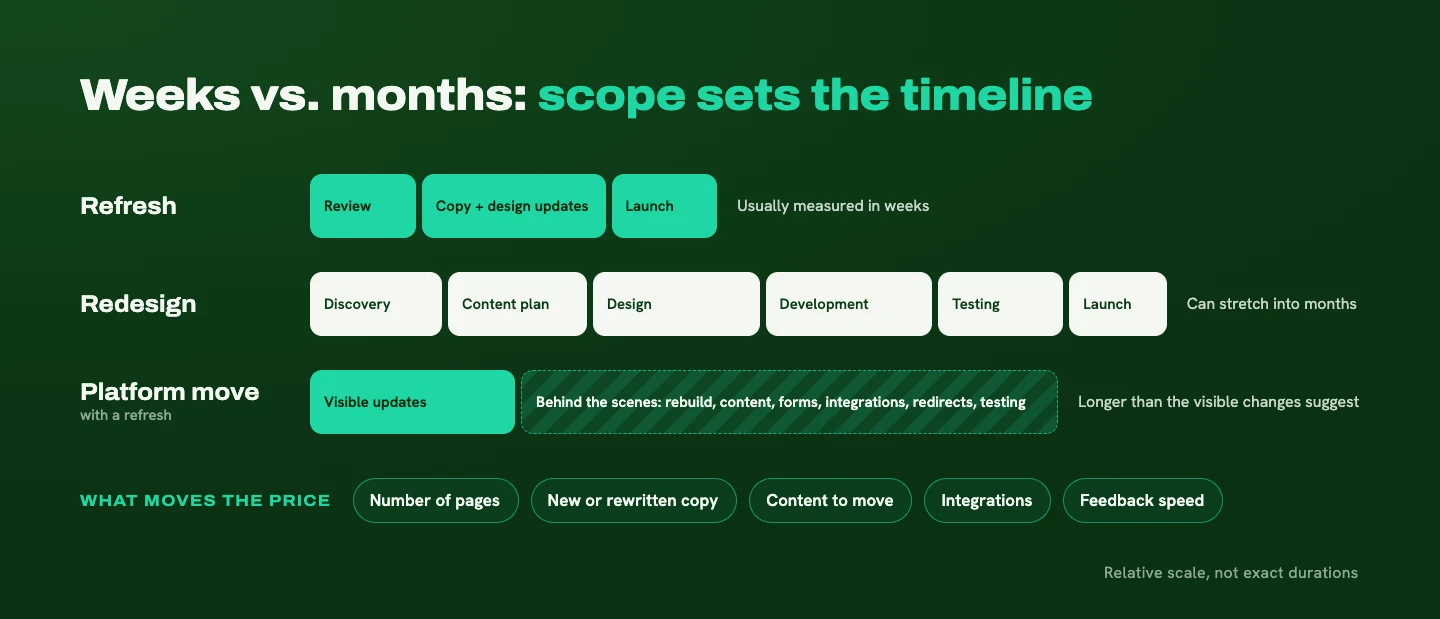
A focused refresh involves fewer decisions and a smaller scope. A redesign adds more discovery, content planning, design, development, and testing.
For a straightforward project, a refresh is usually measured in weeks, while a substantial redesign can stretch into months. A platform migration can take longer than its visual changes suggest, because so much of the work happens behind the scenes.
Price follows scope. The things that move it most:
- How many pages are involved
- Whether copy needs to be written or rewritten
- How much content has to be moved
- Integrations like booking tools, CRMs, or email platforms
- How quickly feedback comes back during the project
I don't give fixed estimates before reviewing a site, because "refresh" can mean updating a few sections or making changes across an entire website. Those are very different projects, and you deserve a number that reflects yours.
How to refresh or redesign without losing your search rankings
Before changing anything, find out what's already working: which pages bring in visitors from Google, which searches lead people there, and which pages generate inquiries. Google Search Console (free) and your analytics will show you.
Then, before launch, check:
- URLs. List your current URLs and decide whether any need to change. Keeping a URL that already ranks is the simplest way to protect it.
- Important content. Keep the page titles, headings, and content that are bringing people in, even if you improve the wording.
- Redirects. Any page that moves or gets removed needs a permanent redirect to its new home. Google recommends server-side permanent redirects and suggests keeping them in place for at least a year (Google Search Central).
- Links. Update internal links so they point straight to the new URLs, and note which pages other websites link to.
- Technical settings. Check canonical tags (a line of code telling search engines which version of a page is the main one), indexing settings, and your sitemap. Submit the updated sitemap in Search Console after launch.
- Mobile and speed. Test the new pages on a phone and check page performance.
- After launch. Watch Search Console and analytics for the next few weeks.
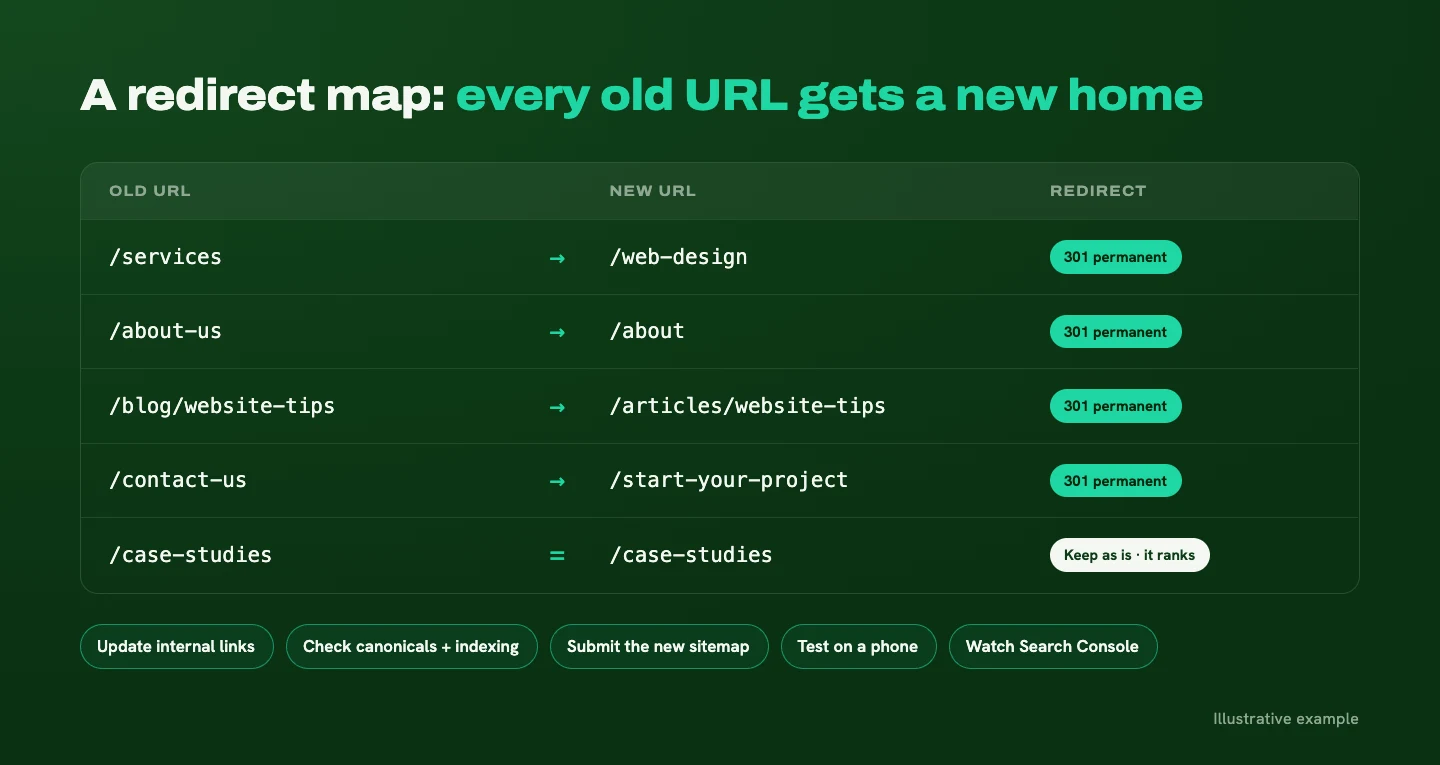
The goal is to keep the content and paths that already work while improving the experience. One honest caveat: nobody can promise a change carries zero risk. Google itself says to expect temporary ranking fluctuations when URLs change (Google Search Central). Careful planning gives your site the best chance of a smooth transition.
When the platform is the problem
The platform becomes the problem when it repeatedly gets in the way of what your business needs: updating content, adding functionality, or giving visitors a better experience.
I work in both WordPress and Webflow, and my recommendation depends on your goals, the features you need, your budget, and who will maintain the site after launch.
Sometimes the existing platform is perfectly capable, and the site needs better structure, a cleaner setup, or clearer messaging. In that case, staying put often makes the most sense. If moving platforms would solve a specific limitation, it's worth it, as long as you go in knowing it's a meaningful project even when the finished site looks similar.
The first question is always the same: what needs to work better? Answer that, and you have a real reason to choose a platform.
Start with the glow-up, and let the results guide you
If your foundation still works, a refresh is the smarter first move. Clarify your headline, make the next step obvious, strengthen your service copy, put proof where it counts, and fix your form. Then test it with a real person. If every fix keeps running into the same wall, that's your answer: the foundation needs work, and a redesign will serve you better than another patch.
If you'd like a second set of eyes on which side of that line your website falls, I can review it and tell you what I'd change first. Take a look at how a website refresh works, or start a project and tell me what's been bugging you about your site.
Ready for a website that makes this easier?
Tell me about your business and your goals. I'll help you figure out what your website needs to say, and how to make it clear.
Start Your ProjectLiked this one? Get the next article in your inbox.
Your website should work as hard as you do. Each new article shows you where yours is quietly losing leads, trust, or attention, and exactly what to fix. It lands in your inbox the day it's published, and you can unsubscribe whenever you like.
You're on the list. Thanks for subscribing!
Something went wrong. Please try again in a moment.

A strategy-led design studio creating clear, thoughtful websites for B2B and professional-service businesses.
Start Your ProjectDotted Octopus
© 2026 Dotted Octopus. All Rights Reserved.
Back to top ↑