Stop playing hide-and-seek with your contact button
Where to put calls to action on a service website, what they should say, and what happens after the click.

Jessie Borgmann
Founder, Dotted Octopus
Someone reads your services page, likes what they see, and decides to reach out. Then they scroll. And scroll. Eventually they find a small "Contact" link in the footer, or they give up and open the next tab.
A good website tells a story that builds toward a next step. The call to action (the button or link that invites someone to take that step) is how they take it. It should show up where the story gives people a reason to move forward, say exactly what happens next, and lead somewhere that makes reaching out feel easy.
Where contact buttons get hidden
The places I check first:
- A footer-only link that visitors only find if they reach the very bottom
- A small item in the navigation that's easy to overlook
- A form buried beneath a long page, with no shortcut to it
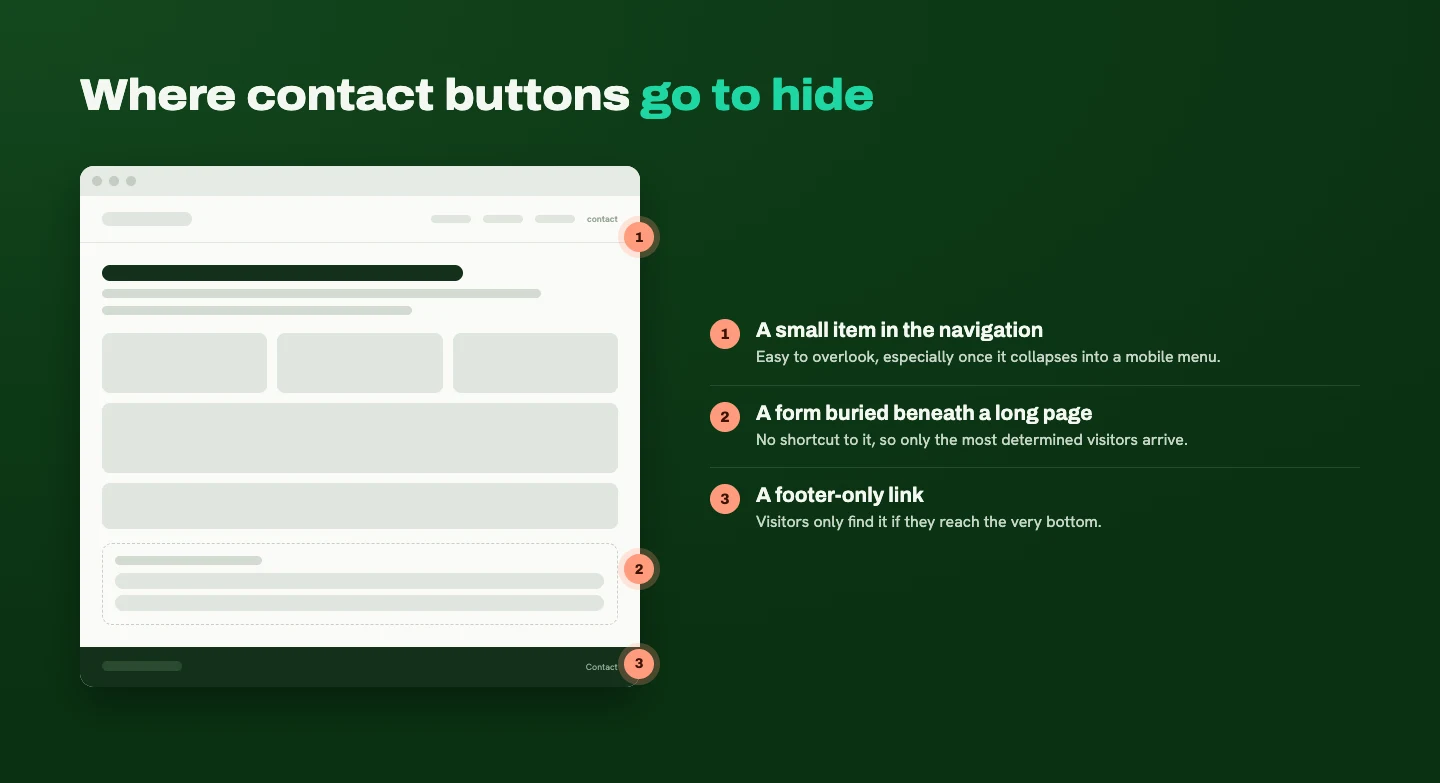
Sometimes the button is visible but doesn't look clickable. It blends into the design, uses an unclear label, or disappears into the mobile menu.
A standard "Contact" link in your navigation is useful, but it shouldn't be the only invitation to take action. Visitors should find a clear next step while they're exploring your services, without having to hunt for it.
Where to put calls to action beyond the homepage
Put a call to action at the moments when your content has given someone a reason to move forward. (For the homepage specifically, I covered this in Give your homepage a clear job.) Across the rest of the site, here's where those moments usually fall:
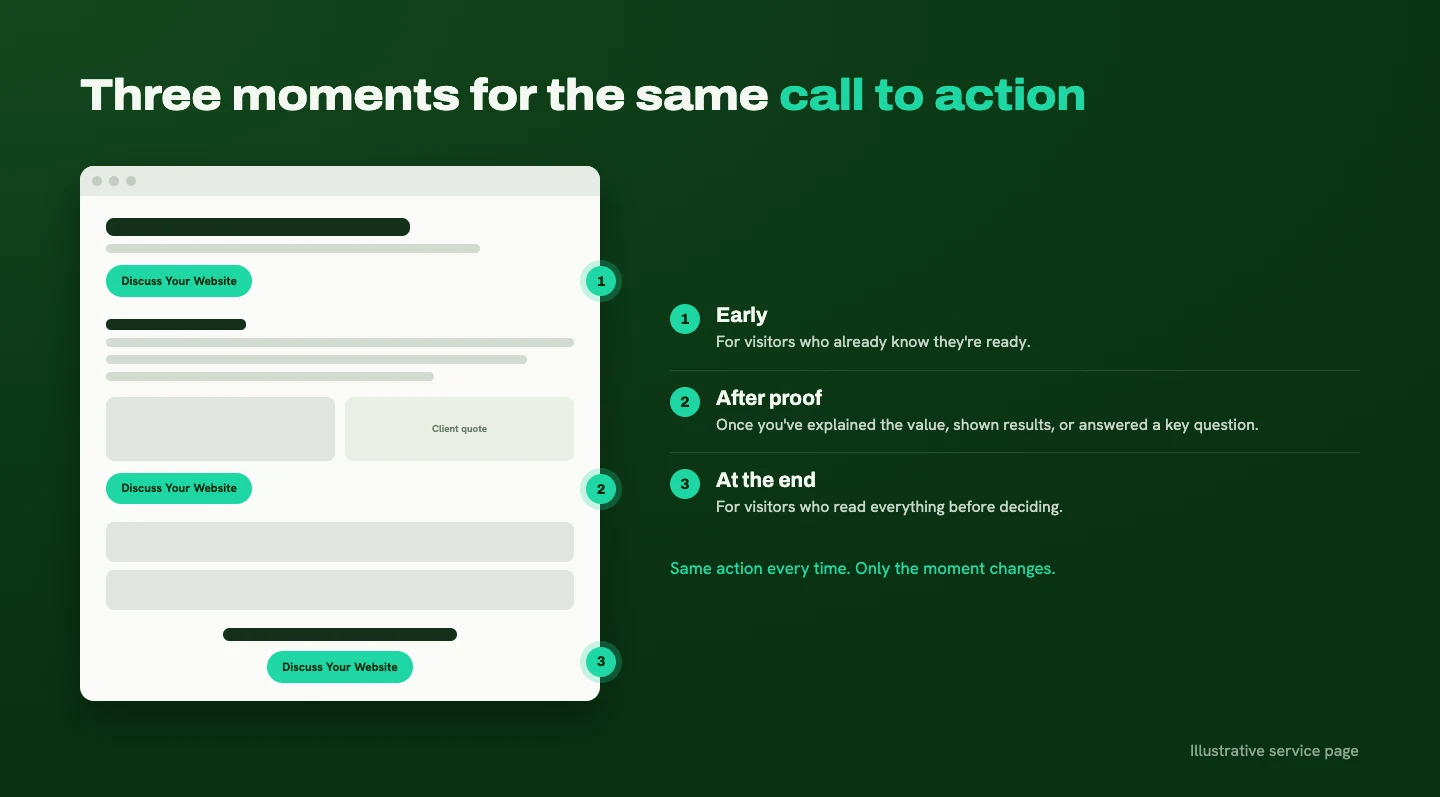
- Service pages. Offer an early opportunity for visitors who already know they're ready, then repeat it after you've explained the value, shown proof, or answered an important question.
- Case studies. Once visitors understand the challenge, your approach, and the verified results, invite them to talk about a similar need.
- About page. After you've established your experience and approach, give people a way to start a conversation.
- Blog posts. Once you've answered the reader's question, offer a relevant next step: exploring a related service, reviewing a project, or using a helpful resource.
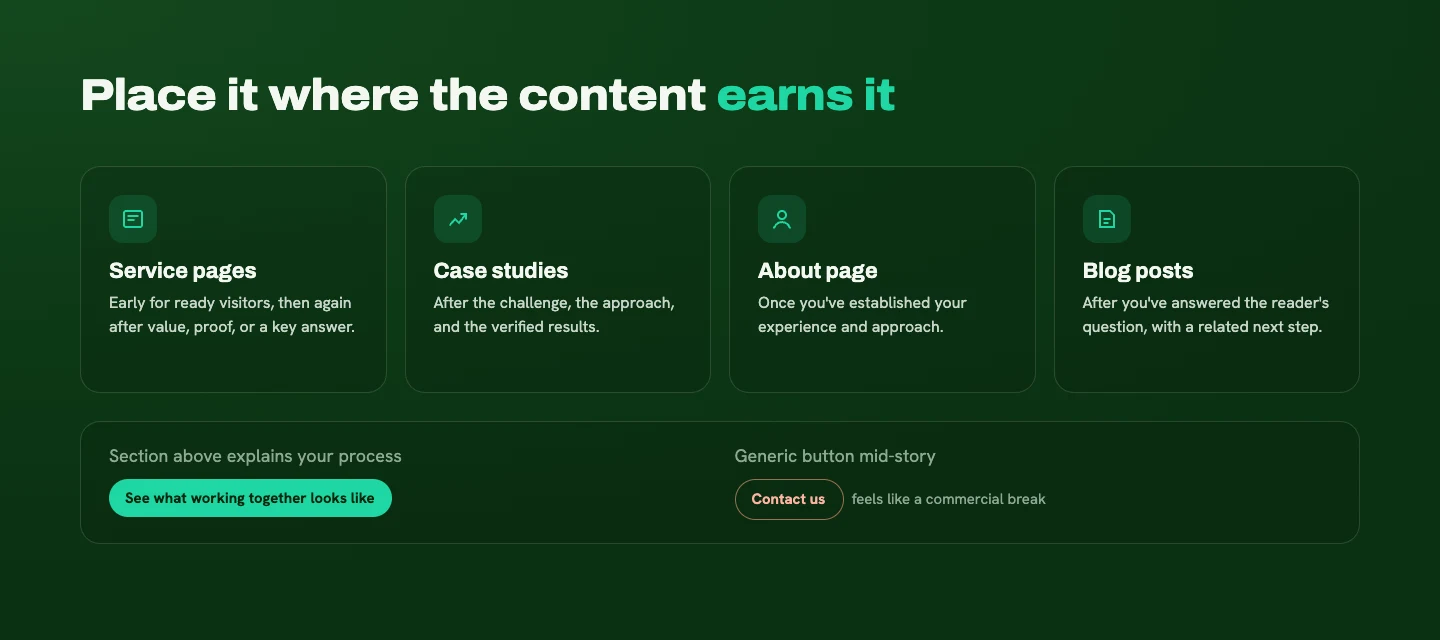
The button should feel connected to what someone just read. If the section above it explains your process, "See what working together looks like" fits. A generic "Contact us" dropped in the middle of a story feels like a commercial break.
What a good button label says
A good label tells people what will happen when they click. A few I like:
- "Discuss Your Website"
- "Book a Consultation"
- "Request a Quote"
- "View the Case Study"
- "Download the Checklist"
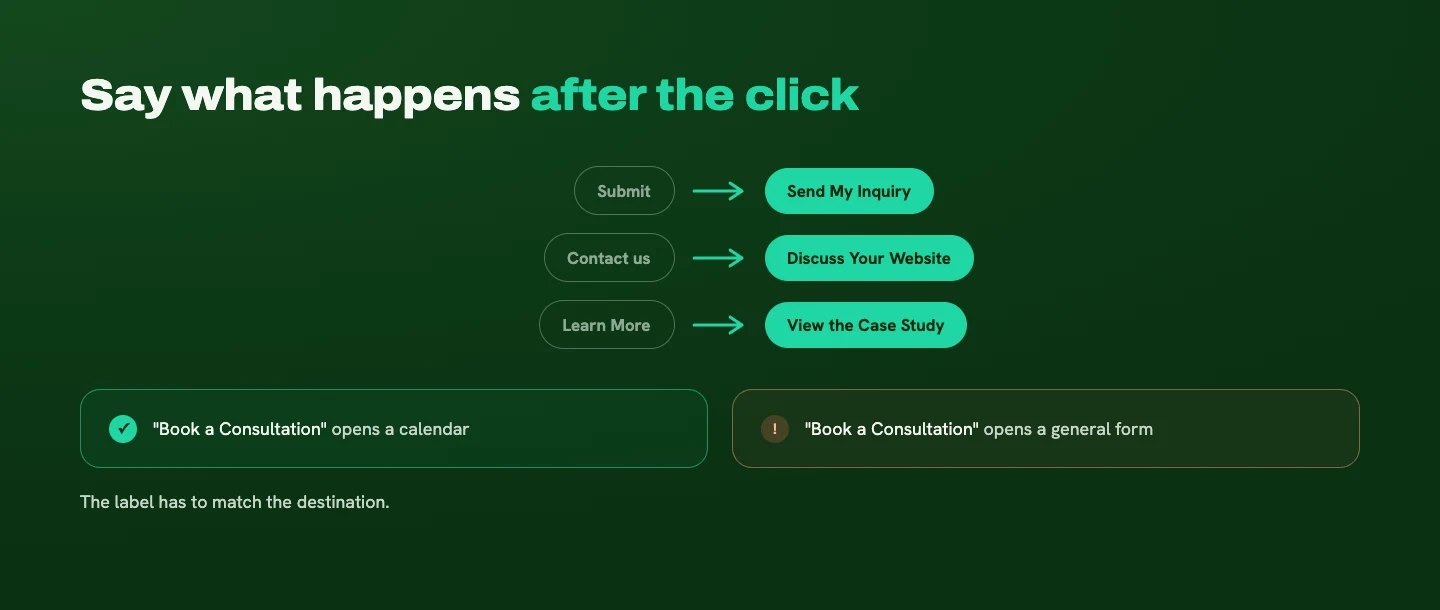
The wording needs to match the destination. If "Book a Consultation" opens a general inquiry form instead of a calendar, visitors notice the mismatch.
"Submit" is technically accurate, but it says nothing about the purpose. "Send My Inquiry" gives more context. "Learn More" and "Get Started" can work when the surrounding content makes the action obvious. Otherwise, make them more specific.
You can bring personality into the copy around the button: the headline above it, the sentence that sets it up. The button itself should be easy to understand at a glance.
Sticky buttons and mobile
A sticky header button (one that stays visible at the top of the screen as you scroll) is worth using when it keeps the main action within reach without taking over the screen. On longer pages, a compact sticky header saves visitors a long scroll back to the top.
On mobile, be more selective, because there's less room. The button shouldn't cover content, compete with other controls, or get in the way when someone opens the keyboard to type.
- Tap-to-call makes sense when customers want an immediate conversation and you can reliably answer.
- A sticky bottom bar can work when there's one clear, useful action. I wouldn't add it automatically.

Whatever you choose, test it on an actual phone. Keeping the next step visible only helps if the page stays comfortable to use.
Form, calendar, email, or phone?
Choose your primary contact method based on how your customers prefer to start and how you can realistically respond.
- A form works when a little context helps you assess the project.
- A booking calendar works when an introductory conversation is the logical next step.
- Email gives people flexibility.
- Phone suits businesses where immediate questions or urgent needs are common.
You can offer more than one, but make the preferred route clear and keep the alternatives secondary. For my studio, a short inquiry form collects the essentials before a call, and an email address gives people another way in if they have a quick question or trouble with the form.
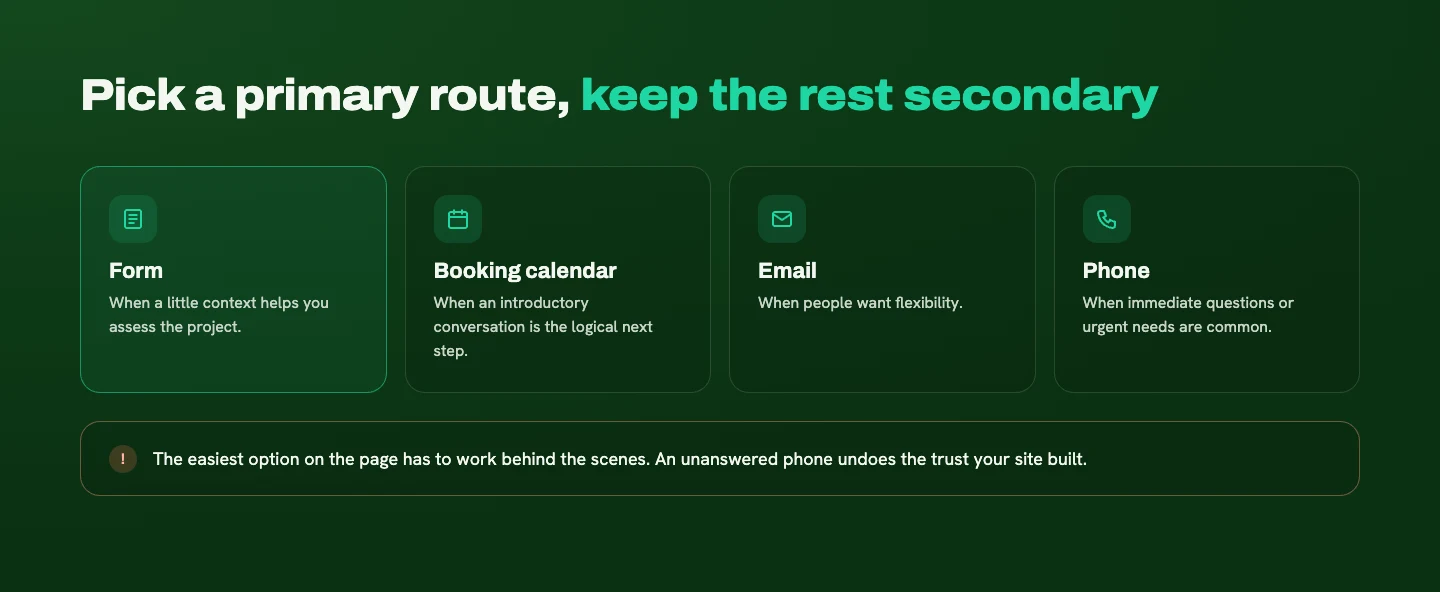
One caution: the easiest option on the page also has to work well behind the scenes. An unanswered phone or an unmanaged booking calendar undermines the trust the rest of your site worked to build.
What your contact page should include
Your contact page should help someone feel comfortable sending the inquiry. A form on its own leaves too many questions unanswered.
Include:
- A short note on who you work with, so people can confirm they're in the right place
- What happens after they submit, step by step
- A realistic response time you can consistently meet
- A photo and brief introduction, so they know who they're contacting
- Budget guidance or a link to pricing information, if you offer custom work, so people can judge fit
- What a booking involves, if you offer one, including whether there's any obligation
Here's a sample of how that might sound on my own contact page:
Tell me a little about your business and what you'd like your website to do better. I'll review your inquiry and get back to you with the next step.
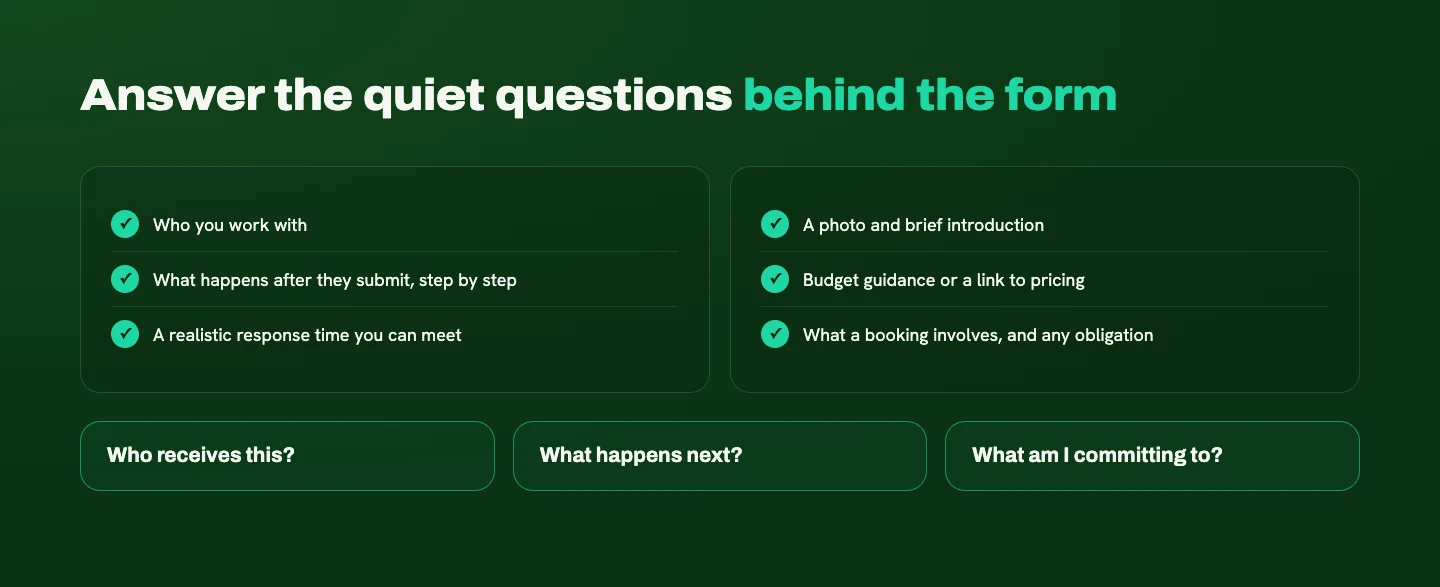
The page should answer the quiet questions behind the form: Who receives this? What happens next? What am I committing to? When those are answered, sending a message feels like the natural next chapter rather than a leap.
Can you have too many calls to action?
Absolutely. The goal is one main call to action, repeated at the moments when a visitor may be ready to take the next step.
Too many looks like stacking competing requests: book a call, request a quote, subscribe, download something, follow on social, all presented with equal importance. Visitors have to stop and decide which one you actually want, and many won't.
Repeating the same main action is different. It gives people another chance to act once they've learned enough to feel confident.
A smaller next step can still help people who aren't ready yet, like viewing a case study or reading a guide. Give it less visual emphasis, and make sure it moves them toward the same decision. (I wrote more about why smaller next steps matter.)
The line between helpful and pushy comes down to whether the invitation respects where someone is in their story. Give people useful information, build trust, and make the next step easy to find when they're ready.
Make the next step easy to find
Your contact button shouldn't be a reward for scrolling to the very bottom. Place one clear call to action at the moments your content earns it, label it so people know exactly what happens next, and make sure the contact page answers the questions that make people hesitate.
If you're not sure where your site is hiding its next step, I'm happy to take a look. Tell me a little about your business and your website, and I'll point out where visitors are most likely to lose the thread.
Ready for a website that makes this easier?
Tell me about your business and your goals. I'll help you figure out what your website needs to say, and how to make it clear.
Start Your ProjectLiked this one? Get the next article in your inbox.
Your website should work as hard as you do. Each new article shows you where yours is quietly losing leads, trust, or attention, and exactly what to fix. It lands in your inbox the day it's published, and you can unsubscribe whenever you like.
You're on the list. Thanks for subscribing!
Something went wrong. Please try again in a moment.

A strategy-led design studio creating clear, thoughtful websites for B2B and professional-service businesses.
Start Your ProjectDotted Octopus
© 2026 Dotted Octopus. All Rights Reserved.
Back to top ↑