
01 — The problem
When a private company is sold, its shareholders are paid through an online portal. Part of their money is held back for one to three years to cover buyer claims, tax issues and sale costs.
Most people have never been through this. They see a total, then a smaller payment, and assume something went wrong. That confusion turns into support calls and distrust.
02 — What I uncovered
Reviewing payout portals, public filings and shareholder forums kept surfacing the same questions:
Two kinds of people ask them: first-timers who need the basics, and people who've been through a sale before and want the detail behind every number.
03 — What testing showed
The first round found two real problems: people couldn't account for the gap between a $132,600 total and the $118,000 they were paid, and they read a $1,800 buyer claim as an extra loss. Every round after that checked the fixes.
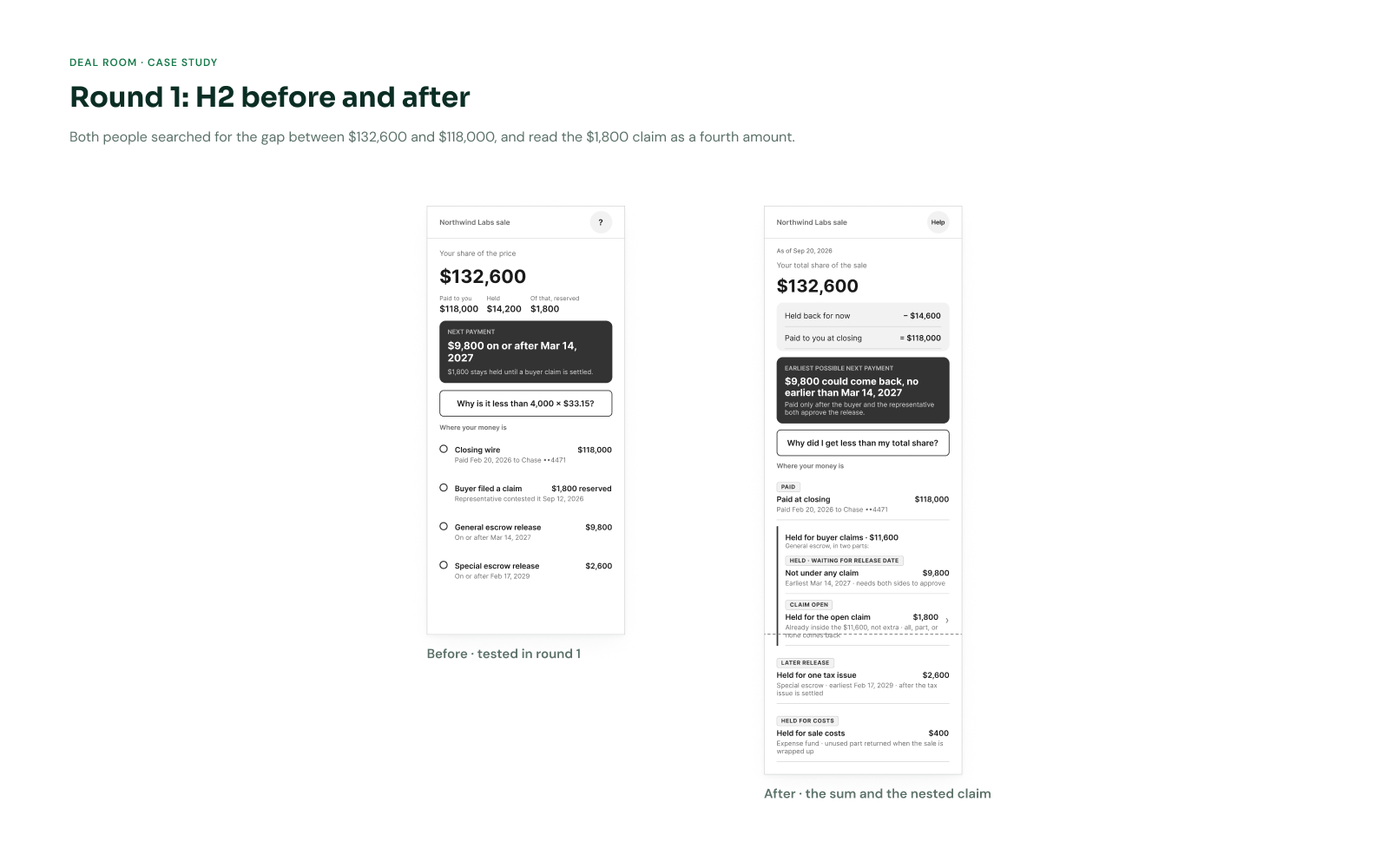
Round 1
Grayscale wireframes, two people. Both searched for the missing $14,600, and the claim read as a fourth amount.
The fix
Show the payout as a sum, and nest the claim inside the money held back: “Already counted, not extra.”
Round 2
Clickable prototype, two people. Neither went looking for the gap, and the claim read correctly.
Round 3
Hi-fi pilot, three people. Both fixes held, and all three asked to see every remaining amount in one place.
The result
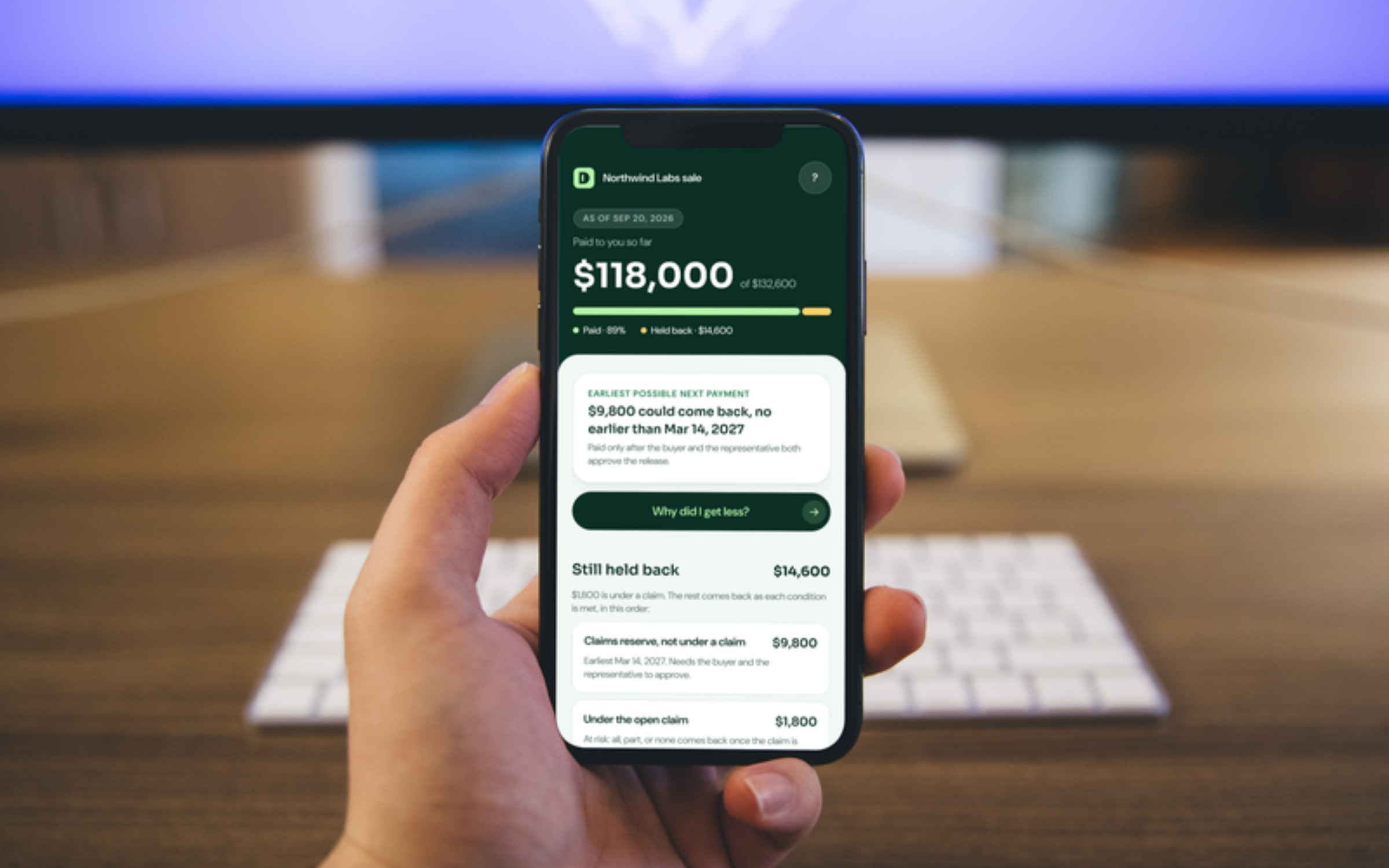
A release timeline on the home screen: every held-back amount in the order it could come back.

Round 3 was a pilot, and parts of it were simulated walkthroughs, so the next step is running it again with real participants.
04 — What I designed


05 — What I learned
Midway through hi-fi I added trays, icon tiles and status chips inspired by fintech apps. One screen grew from 1,320px to 1,760px, and none of it came from a test finding. I cut back with one rule: every element has to help answer a money question, or it goes.

Two problems found and fixed
The unexplained payout gap and the double-counted claim, both checked again in later rounds.
Three rounds of testing
Grayscale wireframes, a clickable prototype, then a hi-fi pilot, each with pass and revert rules set before the sessions.
One design system, two surfaces
The same tokens and components run the shareholder app and the desktop admin console.
“It says it’s already counted, not extra. Okay, so they’re not taking another $1,800.”
Round 3 participant, first payout


Research
Competitive review · Public filings · Shareholder forums · Journey mapping · Usability testing
Design
Mobile app · Desktop admin console · Design system · Clickable prototype · Handoff specs
Tell me what's not working on your website. I'll tell you what I'd fix first.
Start Your Project
A strategy-led design studio creating clear, thoughtful websites for B2B and professional-service businesses.
Start Your ProjectDotted Octopus
© 2026 Dotted Octopus. All Rights Reserved.
Back to top ↑